

Fleet management
Know what’s available, assigned, damaged, or due for service.
Keep real-time visibility across every unit and location, so your team can make confident assignments and protect the fleet without slowing down the day.
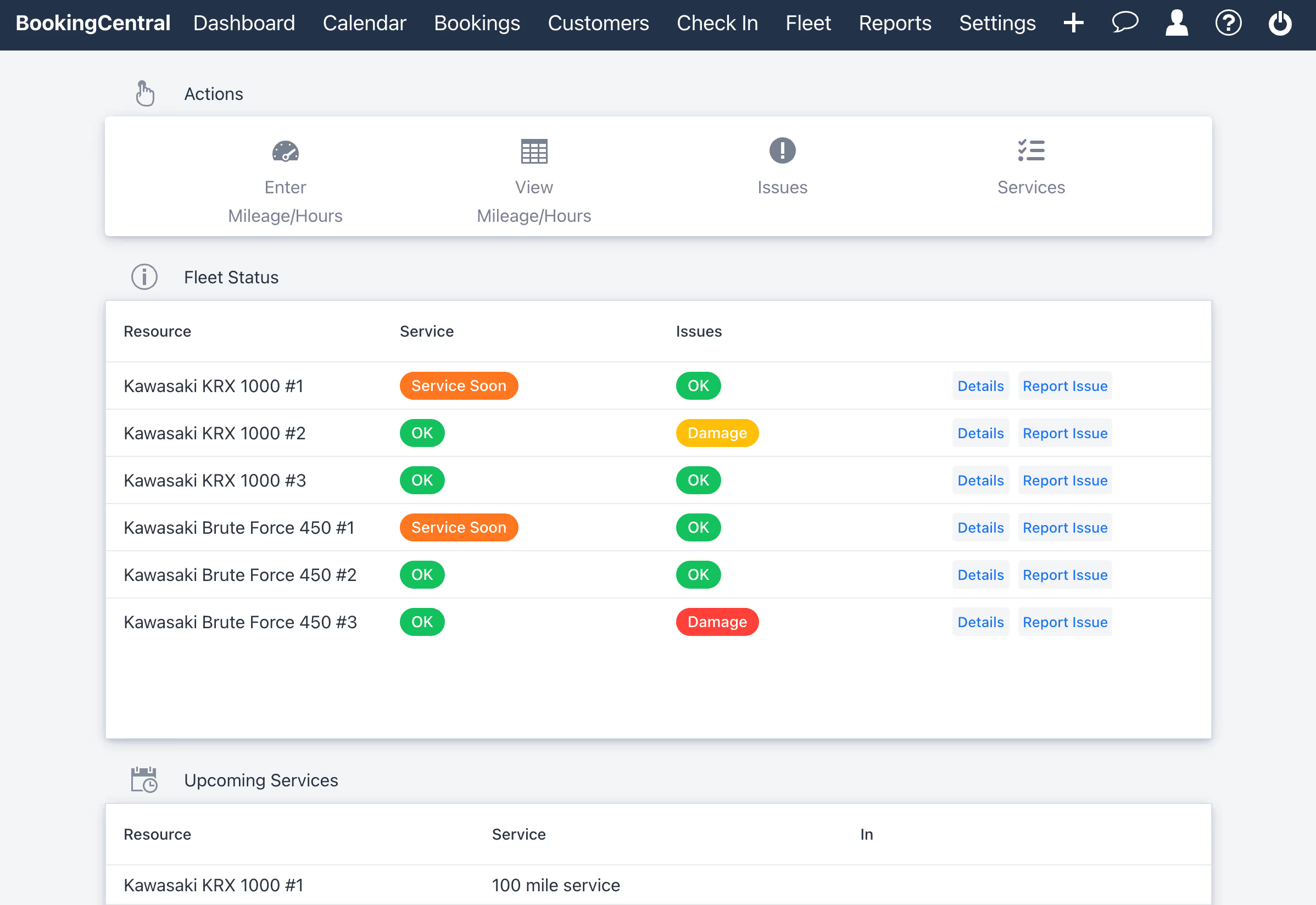
A clearer fleet
Make better assignment decisions in the moment.
Real-time status
See what is booked, available, blocked, checked out, or ready for the next guest.
Maintenance visibility
Track issues and upcoming service so a unit does not return to the schedule too early.
Flexible assignments
Move units as conditions change while preserving the booking and customer details.
Watch the walkthrough
See fleet management in action.
See how BookingCentral helps rental operators organize individual units, view availability, keep asset details together, and connect day-to-day fleet management with the reservation calendar.
One source of truth
Connect availability to the condition of every unit.
Fleet information belongs beside the reservation—not in a separate spreadsheet. BookingCentral keeps schedules, unit assignments, service status, and issues connected to the work your team is already doing.
- ✓ Unit-level assignments
- ✓ Maintenance blocks
- ✓ Damage and issue tracking
- ✓ Mileage or engine hours
- ✓ Multi-location visibility
- ✓ Fast reassignments
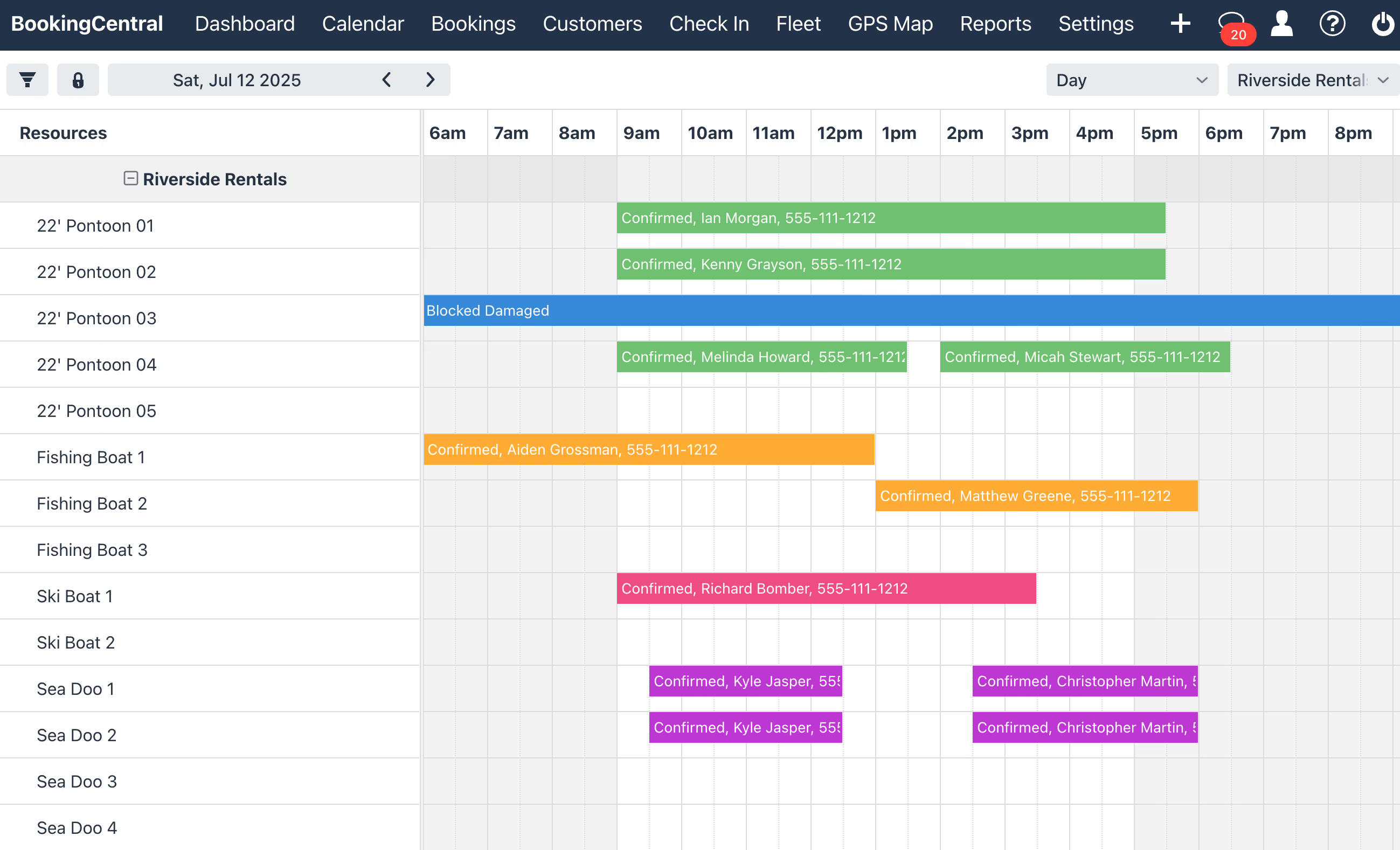
Built for the day of rental
Keep your office and field teams working from the same plan.
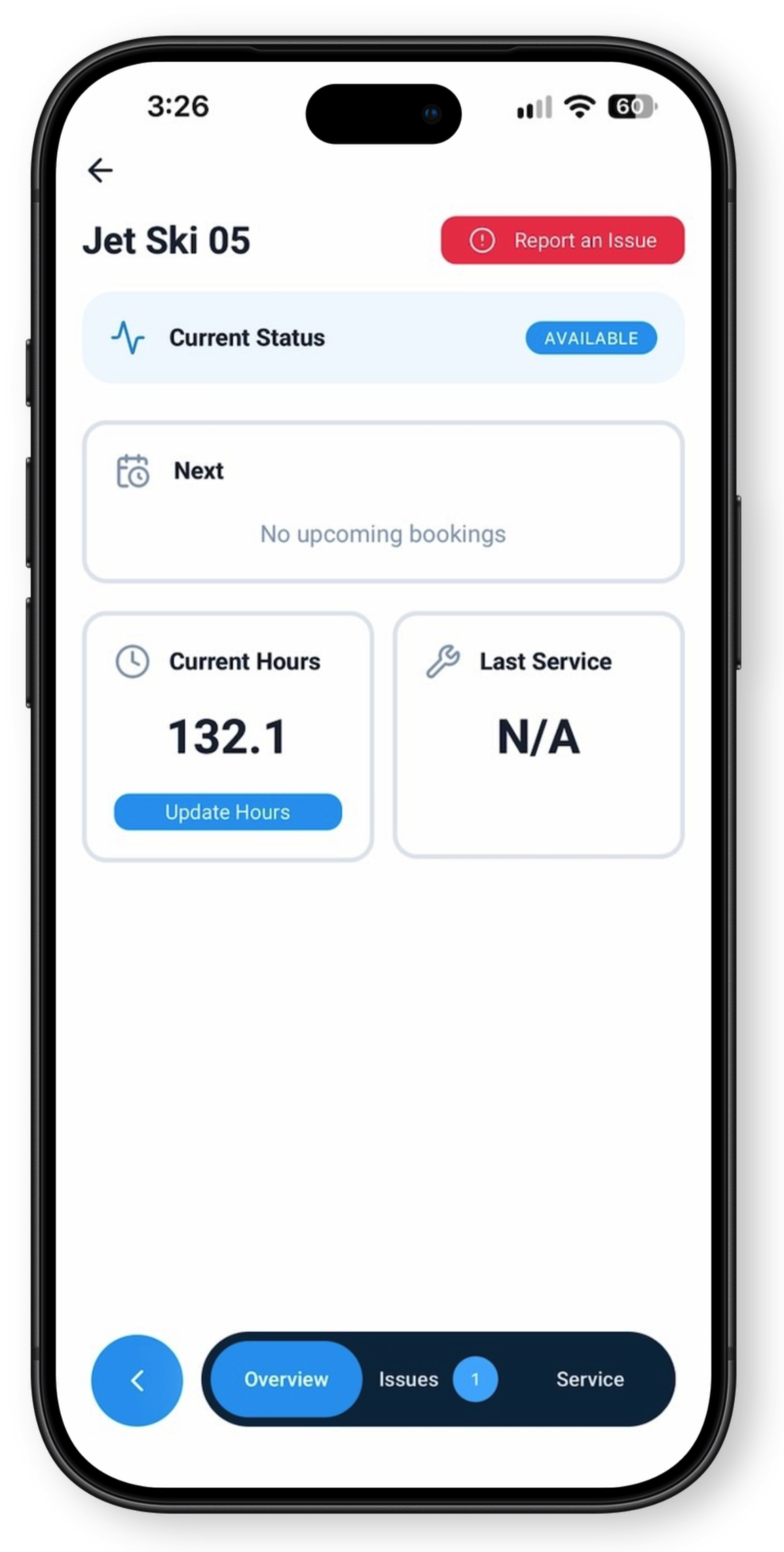
In the BookingCentral app
Keep the fleet current wherever the work happens.
Open any unit to see its status, next booking, engine hours, and last service. Log hours or report an issue from the dock, the lot, or the shop, so everyone knows what’s ready.
Common questions
Fleet management FAQs
Can we manage different types of equipment?
Yes. BookingCentral can organize boats, watersports equipment, golf carts, RVs, vehicles, and other rentable units within the same operational system.
Can a damaged unit be removed from availability?
Your team can record an issue or block a unit so it is not assigned while it is being inspected or serviced.
Does fleet status connect to the booking calendar?
Yes. Unit status and assignments work alongside the reservation schedule, keeping availability and operations aligned.
Can I check fleet status from Claude or ChatGPT?
Yes. With the BookingCentral AI Connector, you can ask about availability, overdue returns and units with open issues in plain English, and get answers straight from your own fleet data.
See how it works →